

Last Updated: June 5, 2026
MS Project Master Class Overview
Many Microsoft Project courses mainly teach software features, menus, and commands. While these are helpful, they often fail to show how to use Microsoft Project to build a technically correct, complete, and reliable project plan. The MS Project Master Class is different. Rather than going through features one by one, this course focuses on the workflow, structure, and project management practices needed to build a Master Project using Microsoft Project and the Project MAP framework.
This is a complete system for developing a professional project manager by building a Master Project.
Microsoft Project is the tool
Project management is the discipline
The Master Project is the learning artifact
Regardless of what might be written about Microsoft Project, the software does have an internal process for building a project. The Project MAP framework is not only consistent with industry best practices but is also integrated with how Microsoft Project works as software.
New to the MS Project Master Class?
If you found this page through a search engine or external link, use the Start Here button below to learn about the Free and Complete MS Project Master Classes, the Learning Portal, Project MAP framework, Activity Workspaces, exercises, and the Master Project.
This Master Class draws on over thirty years of experience using Microsoft Project in a wide range of organizations, including government, industry, healthcare, defense, manufacturing, higher education, and international consulting. The techniques you will learn come from real-world projects, not just classroom theory. Throughout the course, Field Notes share stories and lessons learned from actual project deployments.
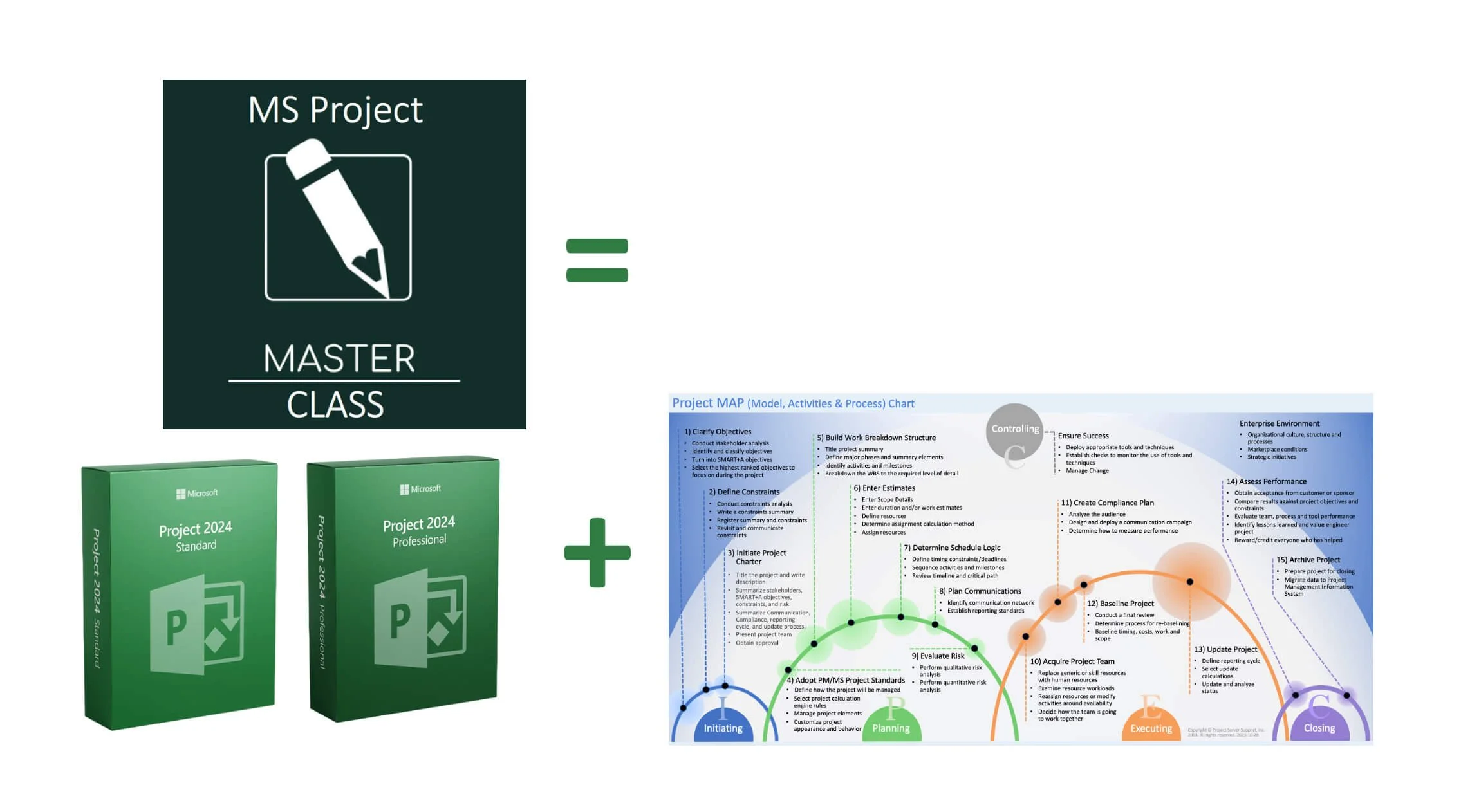
The MS Project Master Class combines the Master Class Book, MS Project Learning Portal, Project MAP framework, downloadable Microsoft Project files, Activity Workspaces, workflows, exams, and the Master Project methodology into a complete Microsoft Project training and project management learning system. The illustration demonstrates how these integrated components work together to develop professional Microsoft Project planning, scheduling, forecasting, reporting, and project control skil
Free Master Class Outline < Master Class Overview > Master Class Book
Microsoft Project does more than just create Gantt charts or track dates. It serves as a professional planning and calculation system that integrates scope, duration, work, cost, resources, calendars, constraints, and schedule logic. If these parts are well organized, Microsoft Project gives you reliable schedules, useful forecasts, and solid project control information. If they are put together carelessly, the results might look fine but can hide major planning issues. Usually, the real difference comes from how the project plan is built, not the software itself.
A key idea in this Master Class is straightforward: Microsoft Project cannot create a good project plan on its own. The software only calculates dates, work, cost, and schedule behavior based on the structure you set up. If your structure is logical and organized, the results make sense. If it is weak, the results can be misleading. Knowing this is one of the most important steps to using Microsoft Project well.
The MS Project Master Class includes both the Master Class Book and the MS Project Learning Portal. In the portal, students work on activities, workflows, exercises, downloadable project files, charts, assessments, and exams. Instead of just practicing with separate software examples, students build a complete Master Project step by step during the course. As new topics are introduced, the Master Project expands through activities covering project initiation, planning, scheduling, resource and cost management, forecasting, reporting, project controls, and project closeout.
The Master Class is built around Project MAP (Model, Activities & Process), a framework that follows the life cycle of real projects. Rather than learning Microsoft Project one feature at a time, students work through activities that show how experienced project managers and schedulers build, manage, control, and update projects in real life. This way, students learn not just how to use Microsoft Project, but also why schedules work as they do and how project management choices affect schedule results.
In the Master Class, the focus is on developing a Master Project, a plan that is clear, logical, technically sound, and capable of withstanding professional review. Getting things right is more important than making them complicated. Microsoft Project does not separate beginner features from advanced ones; it just calculates based on the information you enter. That is why students learn how project objectives, work breakdown structures, estimates, schedule logic, resources, calendars, constraints, baselines, and updates all work together in Microsoft Project to create useful project schedules and forecasts.
By the end of the MS Project Master Class, students will know how to build a project plan using solid project management practices, create realistic estimates and schedule logic, assign and manage resources, set baselines and updates, analyze performance, and share a reliable project schedule with stakeholders. The aim is not just to teach software commands, but to help students use Microsoft Project as a dependable tool for planning, scheduling, forecasting, and project control within a strong project management process.
MS Project Master Class FAQs
What Is the MS Project Master Class?
The MS Project Master Class is a step-by-step training program that brings together the Master Class Book, Learning Portal, Activity Workspaces, workflows, exercises, downloadable files, assessments, and exams. It guides students in building a complete, reliable project plan in Microsoft Project using the Project MAP framework.
What Makes the MS Project Master Class Different from Typical Microsoft Project Courses?
Most Microsoft Project courses mainly cover software features and commands. The MS Project Master Class goes further by showing how Microsoft Project works as a full planning, scheduling, forecasting, and project control tool. Students learn how project structure, estimates, schedule logic, resources, calendars, and controls all fit together to create dependable project schedules.
What Is Project MAP?
Project MAP (Model, Activities & Process) is the main framework in the MS Project Master Class. It organizes learning into clear Activities that mirror how real projects are best planned, scheduled, managed, controlled, and completed in Microsoft Project.
What Is the Master Project?
The Master Project is the full Microsoft Project schedule that students build during the MS Project Master Class. As they move through the Activities, students continue to add to and improve the project structure, estimates, schedule logic, resources, costs, reports, controls, and forecasting details.
How Does the MS Project Learning Portal Work?
The MS Project Learning Portal includes Activity Workspaces, workflows, downloadable files, charts, worksheets, exercises, assessments, and other helpful materials for the Master Class. Students use the Learning Portal along with the Master Class and hands-on training to gradually build their Master Project.
Do I Need the Master Class Book?
No. The Free MS Project Master Class does not require the Master Class Book. Even without the Master Class Book, this Free Master Class is the most comprehensive class on Microsoft Project a student is likely to find.
Yes, if you take the full-blown MS Project Master Class. The Master Class Book is the main guide for the MS Project Master Class. The Learning Portal and Activity Workspaces help support and expand on the ideas, workflows, standards, and exercises from the book.
Are the Activity Workspaces Free?
Yes. The Activity Workspaces in the MS Project Learning Portal are open to everyone and give access to workflows, exercises, charts, and other helpful content. However, students taking the full MS Project Master Class will also need the Master Class Book and downloadable exercise files.
Who Should Take the MS Project Master Class?
The MS Project Master Class is for project managers, schedulers, students, trainers, consultants, PMOs, organizations, and schools who want to improve their Microsoft Project planning and scheduling skills using proven project management methods and professional workflows.
Can Trainers, Consultants, or Colleges Use the MS Project Master Class?
Yes. The MS Project Master Class can be used for classroom teaching, workshops, coaching, consulting, corporate training, and community college courses. With the Master Class Book, Activity Workspaces, workflows, downloadable files, assessments, and the Project MAP framework, it offers a structured, ready-to-use Microsoft Project training system.
What Will I Learn in the MS Project Master Class?
In this course, students will learn to:
Create a Work Breakdown Structure (WBS).
Develop estimates and schedule logic.
Assign and manage resources.
Build and maintain project schedules.
Baseline and update projects.
Analyze project performance.
Use Microsoft Project as a professional planning and forecasting tool.
Develop clear, logical, and technically sound project plans.
Is the MS Project Master Class Designed for Beginners or Experienced Users?
The MS Project Master Class is suitable for all experience levels. Beginners can follow the step-by-step workflows and exercises, while experienced project managers, schedulers, consultants, and trainers can use the material to improve scheduling, strengthen project controls, and deepen their understanding of Microsoft Project as a tool for calculation and forecasting.
Can This Master Class Be Taken Independently?
Yes. Students can take the Free MS Project Master Class or purchase the Master Class Book and take the full-blown class.
The MS Project Master Class supports independent learning for students and professionals everywhere. With the Master Class Book, Learning Portal, Activity Workspaces, workflows, downloadable files, exercises, assessments, and exams, students can move through the program at their own pace and build a complete Master Project as they go.
Can anyone just use these Microsoft Project training materials?
Yes. The MS Project Master Class is for both independent learners and for coaches, trainers, consultants, PMOs, organizations, and schools. Its structured Activities, workflows, downloadable files, exercises, assessments, and Project MAP framework make it a workshop-ready training system that supports classroom teaching, coaching, consulting, corporate training, and community college courses.
However, none of the downloadable materials may be used by any person, group, or entity unless everyone in the audience has purchased the MS Project Master Class Book from Amazon.
Coaches and Trainers can use the Master Class independently or be certified by it.